Every time you open a web page, your browser exchanges data with a web server. This data may include login credentials, messages, query string parameters, or payment details. Protecting this data is essential for all internet users and website owners.
At Varun Digital Media, we help site owners build secure, search-friendly websites. One of the most important security standards today is HTTPS. Many web users see HTTPS in the address bar or URL bar, but still ask questions like what is HTTPS?” “What does HTTPS mean?” or HTTPS mean.
This guide explains what HTTPS is, how HTTPS encryption works, and why HTTPS protects sensitive information, improves SEO, and builds user trust.
Table of Contents
What Is HTTPS?
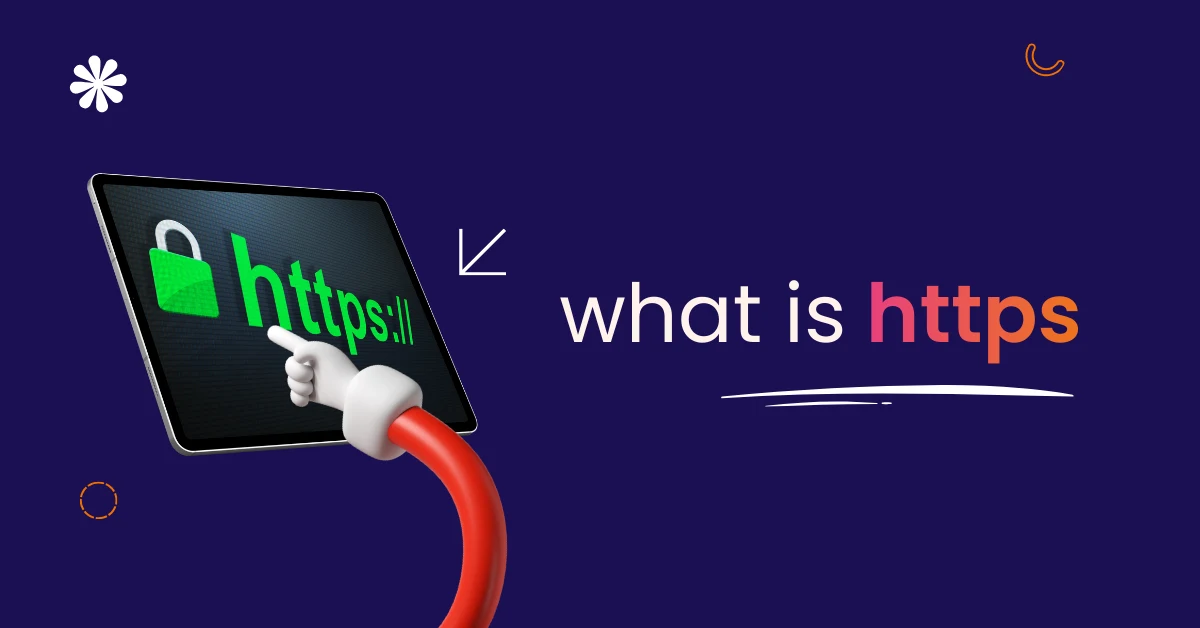
HTTPS stands for Hypertext Transfer Protocol Secure. It is the secure version of the HTTP protocol, which controls how data moves between a browser and a server.
With HTTPS, data transfer between the user’s browser and the server is encrypted using SSL/TLS encryption. This prevents attackers from reading or changing the data.
In simple terms, HTTPS creates a secure connection for websites.
HTTPS Meaning Explained Simply
Many users search for the meaning of HTTPS, or what HTTPS is, because it sounds technical.
HTTPS means the browser connects to a website using a secure protocol. This protocol encrypts communications so that data is not completely readable during transfer.
HTTPS websites protect sensitive data like login credentials, personal details, and payment information.
HTTPS Definition in Easy Language
The HTTPS definition describes a security protocol that protects data shared online.
HTTPS combines the Hypertext Transfer Protocol with encryption provided by Secure Sockets Layer (SSL) or Transport Layer Security (TLS).
So when people ask to define HTTPS, the answer is simple: HTTPS is a secure way to load websites safely.
HTTPS Protocol Definition
The HTTPS protocol definition explains how secure data transfer works.
HTTPS uses a digital certificate, a public key, and a private key. This process creates a secure session between the browser and the web server.
Even if attackers intercept web traffic, the encrypted data remains unreadable.
What Is HTTPS Encryption?
When users ask about HTTPS encryption, they want clarity.
HTTPS encrypts:
- Login credentials entered on secure sites safely
- Sensitive data shared through forms and messages
- Cookies are used to maintain a secure session
- Query string data and URL paths securely
- Data transfer between the browser and the server
This encryption protects users from DNS spoofing and data theft.
How HTTPS Works Step by Step
HTTPS works through a process called key exchange.
First, the browser requests certificate information from the server. The server sends an SSL certificate issued by a trusted certificate authority.
Next, the browser checks the digital signature. If valid, a secure, encrypted session starts. All data remains encrypted until the session ends.
Difference Between HTTP and HTTPS
| Feature | HTTP | HTTPS |
| Data security | Sends data without encryption | Encrypts data using SSL/TLS |
| Website identity | No identity verification | Verified by a certificate authority |
| Browser display | Shows security warnings | Shows padlock icon or lock symbol |
| SEO impact | Lower preference | Preferred by Google |
| User trust | Low trust | High trust |
HTTPS is safer than regular HTTP sites.
Why HTTPS Is Important for Website Security
HTTPS is important because it protects sensitive information while it moves between a browser and a website.
Without HTTPS, data travels as plain text across the internet. Hackers can intercept this data and read passwords, payment details, or personal information. Attackers may also change website content or redirect users to fake and harmful pages.
HTTPS encrypts all communication between the browser and the website server. This encryption keeps data private, prevents tampering, and builds trust between users and websites.
HTTPS and Search Engine Optimization
Search engines want to show safe and trusted websites to users. Because of this, Google Chrome and other major browsers strongly support HTTPS.
Google has confirmed that HTTPS is a ranking signal. Secure websites may rank higher than similar non-secure sites. HTTPS also protects referral data, which improves traffic tracking in analytics tools.
Secure websites reduce bounce rates because users feel safe browsing them. Better trust and engagement help websites perform better in search results.
HTTPS and User Trust
Users trust HTTPS websites more because they feel safe sharing information.
The padlock icon in the browser bar tells users that the website uses a secure connection. This signal reduces fear about data theft or misuse. As a result, visitors are more willing to sign up, submit forms, and complete actions.
Trust directly affects business growth. When users feel safe, engagement and conversions increase.
HTTPS for Business Websites
Business websites handle sensitive information every day. This includes contact details, login data, and customer records.
HTTPS protects this information by encrypting it during transfer. It also shows that the business takes security seriously. A secure website looks professional and reliable, which helps build long-term customer trust.
Every modern business website must use HTTPS.
HTTPS for E-commerce and Payments
E-commerce websites must use HTTPS to process payments safely.
Payment gateways require HTTPS to protect card details and transaction data. Without HTTPS, payments may fail, or users may see security warnings during checkout.
HTTPS creates a smooth and secure checkout experience, which reduces cart abandonment and payment errors.
HTTPS Certificates Explained
HTTPS works using SSL certificates or TLS certificates.
These certificates are issued through a certificate issuance process by trusted authorities. They confirm that the website belongs to the correct owner and is safe to visit.
Certificates must remain valid and up-to-date. Expired certificates cause browser warnings and reduce user trust.
Types of HTTPS Certificates
Different websites use different certificate types based on their needs.
Domain validation certificates provide basic encryption for small websites. Organization validation certificates verify business identity for users. Extended validation certificates show strong company trust. Wildcard certificates protect multiple subdomains. Multi-domain certificates secure several websites together.
Does HTTPS Make Websites Fully Secure?
HTTPS improves security, but it does not protect everything.
HTTPS secures data while it travels between the browser and the website. It does not protect the server from hacking or malware. Websites still need secure hosting, strong passwords, and regular updates.
True website security works best when multiple protections are used together.
Common HTTPS Myths
Many website owners misunderstand HTTPS.
HTTPS does not slow down modern websites. HTTPS is not only for e-commerce sites. SSL certificates can be free or affordable. HTTPS supports both security and SEO. Today, most major browsers expect websites to use HTTPS.
Knowing these facts helps owners make better decisions.
How to Check If a Website Uses HTTPS
Checking HTTPS is simple.
Look at the URL bar or address bar in the browser. If the website address starts with https:// and shows a lock symbol, the site is secure.
Browsers also warn users when a website does not use HTTPS, alerting them to possible risks.
How to Move from HTTP to HTTPS
Moving from HTTP to HTTPS requires careful steps.
First, install a trusted SSL certificate on the server. Next, update all website URLs to HTTPS. Then redirect all HTTP pages to HTTPS. Update internal links and sitemap files. Finally, test pages for errors and warnings.
Correct steps protect SEO and user experience.
HTTPS Migration and SEO Safety
HTTPS migration must be done correctly to protect search rankings.
Incorrect redirects, broken links, or wrong canonical tags can harm SEO. All canonical tags must point to HTTPS pages. Google Search Console should also be updated with the HTTPS version.
At Varun Digital Media, we manage HTTPS migrations safely and carefully.
HTTPS for Forms and Data Collection
Forms collect sensitive user data such as names, emails, and phone numbers.
Without HTTPS, this data can be exposed during submission. HTTPS encrypts form data and protects personal information from attackers.
All websites that collect data should use HTTPS.
Final Thoughts: Why HTTPS Matters
HTTPS is no longer optional for websites.
It protects user data, builds trust, and supports better search rankings. Websites without HTTPS risk losing visitors and credibility.
At Varun Digital Media, we help businesses implement HTTPS correctly and securely. HTTPS is the foundation of a trusted and professional website.
Secure Your Website With HTTPS
Protect data, build trust, and improve search rankings using HTTPS security designed for modern business websites.
Frequently Asked Questions
1. What is HTTPS, and why is it important?
HTTPS is a secure protocol that encrypts data between a browser and a website. It protects passwords, payments, and messages. HTTPS also improves user trust, removes browser warnings, and helps websites perform better in search rankings.
2. HTTPS means what for users?
HTTPS means the website connection is secure. It shows that the site encrypts data and protects personal information. Users can browse, submit forms, and make payments without fear of data theft.
3. In HTTPS, what is encrypted exactly?
HTTPS encrypts login details, payment information, text messages, cookies, and form data. Encryption ensures only the browser and server can read this information, keeping it private and safe from attackers.
4. Is HTTPS required for SEO?
Yes. HTTPS is a ranking factor used by Google. Secure websites also avoid browser warnings, improve trust, and reduce bounce rates. All these help improve SEO performance.
5. Can a website work without HTTPS?
A website can load without HTTPS, but it is unsafe. Browsers mark such sites as not secure. This reduces trust, affects SEO, and puts user data at risk.
Published: December 26th, 2025