
Reading Time: 8 minutes
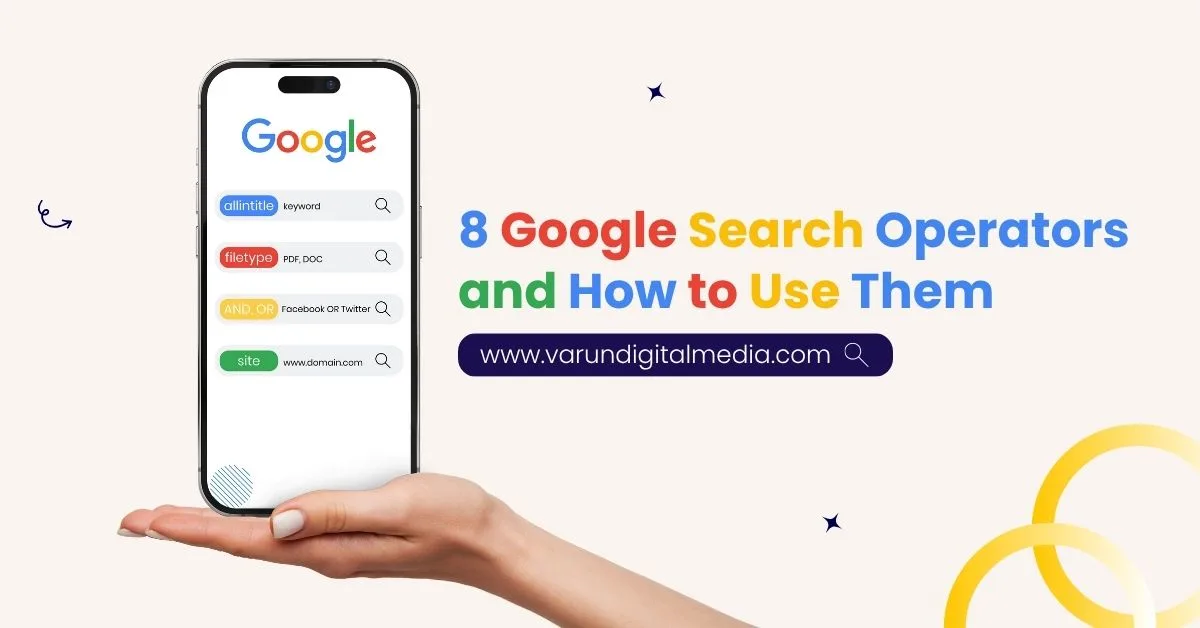
Google search has evolved far beyond typing a few words into the search bar. In 2026, professionals who understand Google search operators can uncover insights faster, find hidden opportunities, and outperform competitors in SEO, content research, and digital marketing strategy.
At Varun Digital Media, we use advanced Google search operators daily for technical SEO audits, competitor research, internal linking opportunities, and content research. These operators are not tricks. They are precision tools that help you refine web searches, filter search results, and locate exactly what you need without wasting time.
This guide explains 8 Google search operators and how to use them in 2026, with practical examples, real use cases, and SEO-focused applications.
Table of Contents
Why Google Search Operators Matter More in 2026
Search engines now handle massive query volumes, making precision essential for visibility and research accuracy.
Google search operators help you:
- Control how multiple search operators work together for precise filtering
- Find exact matches instead of relying on broad or irrelevant guesses
- Discover indexed blog posts and hidden web pages faster
- Identify internal links and uncover high-value link-building opportunities
- Support SEO checklists and strengthen the overall digital marketing strategy
Instead of endless scrolling, search commands guide Google to deliver exactly what you need.
1. Quotation Marks (” “) – Find Exact Match Phrases
Quotation marks are one of the most powerful basic Google search operators, especially in 2026 when search intent clarity matters more than ever. This operator tells Google to stop guessing and show results only when the exact phrase appears in the same order.
When a search phrase has more than one meaning, quotation marks remove ambiguity and return precise results instead of broad interpretations.
i. How It Works
You simply place quotation marks around the phrase you want to match exactly in the Google search box.
Example:
“digital marketing strategy for SaaS”
This search command returns only those web pages where the full phrase appears exactly, not variations, synonyms, or rearranged wording.
ii. Why It Matters in SEO
Exact match searching plays a critical role in content research, competitor analysis, and technical SEO audits. It helps SEO professionals understand how specific wording is used across search engines.
Quotation marks help you:
- Find exact matches during keyword research without unrelated result variations
- Identify duplicate content risks across indexed blog posts and web pages
- Validate branded search results and brand name usage accuracy
- Analyze how competitors use exact wording within page titles and content
When accuracy matters more than volume, quotation marks give you complete control over search results.
2. site: – Search Within a Specific Website
The site: operator is one of the most practical Google search operators for SEO professionals. It allows you to narrow search results to a single website or domain, removing all unrelated pages from search engines.
In 2026, when websites publish hundreds or thousands of pages, the site operator becomes essential for understanding what Google has indexed and how content is structured.
i. How It Works
You add the site, followed by the domain name, inside the Google search box.
Example:
site:varundigital.com google search operators
This search command returns only pages from that specific website related to your search terms.
ii. SEO Use Cases
The site operator supports technical SEO audits, content optimization, and internal linking strategies.
It helps you:
- Find indexed blog posts quickly without manual site navigation
- Locate only pages from a specific website with relevant keywords
- Identify internal linking opportunities across service pages and blogs
- Check how many pages are indexed by Google accurately
At Varun Digital Media, we rely on the site operator to audit site coverage, validate indexed content, and strategically add internal links that improve crawlability and search rankings.
3. intitle: – Find Pages by Page Title
The intitle: operator searches specifically within a page’s title tag, which is one of the strongest on-page SEO signals. In 2026, page titles still communicate search intent clearly to both users and search engines.
Because titles summarize what a page is truly about, this operator helps you uncover highly relevant content without scanning unnecessary results.
i. How It Works
You place intitle: before the keyword you want to find inside the page title.
Example:
intitle:”SEO checklist.”
This search command returns only web pages that include the phrase inside their title tag.
ii. Why This Is Powerful
Page titles reveal topic focus, content freshness, and optimization intent. This makes the intitle operator extremely valuable for SEO research and planning.
It helps you:
- Find relevant pages with a clear topic focus and strong intent
- Discover resource page opportunities suitable for link-building outreach
- Identify outdated blog posts needing updates or replacement content
- Support competitor research by analyzing how competitors structure titles
At Varun Digital Media, we use the intitle operator to uncover content gaps, plan SEO-driven updates, and build link strategies based on proven topic authority.
4. inurl: – Locate Pages by URL Structure
The inurl: operator searches for specific words inside a page’s URL. URLs often reveal how a website organizes content, such as blogs, categories, resources, or landing pages.
In 2026, URL structure still plays an important role in SEO clarity, crawlability, and content discovery. This operator helps you quickly locate pages designed for specific purposes.
i. How It Works
You place inurl: before the word you want to find inside the URL.
Example:
inurl: blog google search operators
This search command returns only pages where the URL contains the word “blog.”
ii. SEO Applications
URL-based searches are extremely helpful during content research, outreach planning, and competitor analysis.
This operator helps you:
- Find blog posts or resource hubs built around specific topics
- Locate only inner pages while excluding the homepage or category clutter
- Identify similar websites using structured, SEO-friendly URL patterns
- Discover guest posting opportunities hosted within blog or resource sections
At Varun Digital Media, we often combine inurl: with other search operators to refine web searches further, uncover link-building prospects, and map content structures competitors use successfully.

5. OR – Combine Multiple Keywords in One Search
The OR operator allows Google search to return results that include one keyword or another, instead of forcing a single phrase. In 2026, this is extremely useful when topics overlap or terminology varies across industries.
Instead of running multiple searches, OR lets you compare and explore related ideas in one query. This saves time while keeping results relevant.
i. How It Works
You type OR in uppercase between keywords inside the Google search box.
Example:
SEO OR “search operators for SEO.”
This search command returns web pages that include either term, not necessarily both.
ii. Why It Saves Time
The OR operator is ideal for content research, competitor analysis, and topic expansion.
It helps you:
- Search multiple keywords together without running separate searches repeatedly
- Expand content research efficiently across closely related topics
- Find pages covering related topics using different terminology
- Reduce repeated manual searches while maintaining result relevance
When used correctly, OR broadens discovery without turning results into noise.
6. filetype: – Find Specific Document Formats
The filetype: operator filters Google search results by document format, such as PDF, PPT, DOC, or XLS. These formats often contain high-value information not visible in standard blog posts.
In 2026, many authoritative resources still live in downloadable formats, making this operator extremely useful for deep research.
i. How It Works
You use filetype: followed by the document format you want.
Example:
technical seo audits filetype: pdf
This returns only PDF documents related to technical SEO audits.
ii. SEO and Marketing Use Cases
Document-based searches are powerful for research, link building, and competitive intelligence.
This operator helps you:
- Find downloadable SEO checklists created by industry experts
- Locate competitor presentations shared publicly but not widely promoted
- Discover training materials used internally or during conferences
- Support online research with authoritative, long-form resources
Although often overlooked, filetype searches reveal insights blogs rarely show.
7. Related: – Discover Similar Websites
The related: operator finds websites that Google considers similar to a given domain. This is valuable when mapping competitors or exploring adjacent markets.
In 2026, when ecosystems matter more than individual sites, related searches help identify clusters of influence.
i. How It Works
You type related: followed by a domain name.
Example:
related:hubspot.com
This search returns websites Google believes are similar to HubSpot.
ii. Why This Matters
Understanding similar sites improves competitive research and outreach planning.
This operator helps you:
- Discover similar websites operating within the same industry ecosystem
- Expand competitor research beyond obvious market leaders
- Find new link-building opportunities among related authority domains
- Identify relevant forum communities and niche platforms
At Varun Digital Media, we use related searches to expand outreach lists intelligently.
8. cache: – View Google’s Cached Version
The cache: operator shows the most recently cached version of a web page stored by Google. It reveals what Google last saw, not necessarily what users see now.
This operator is especially useful when rankings change suddenly or pages disappear.
i. How It Works
You use cache: followed by the page URL.
Example:
cache:example.com
This opens Google’s stored snapshot of the page.
ii. SEO Insights
Cached versions are extremely helpful during technical SEO audits and troubleshooting.
This operator helps you:
- Check recently cached versions to confirm Google’s last crawl
- Diagnose indexing issues when pages stop appearing in search
- Understand crawl behavior and update frequency patterns
- Support technical SEO audits during ranking drops or errors
When visibility changes unexpectedly, cache often explains why.
Using Multiple Search Operators Together
Advanced Google search operators become powerful when combined.
Example:
site:example.com intitle: “content strategy” filetype: pdf
This narrows results dramatically and improves accuracy.
At Varun Digital Media, we use multiple search operators daily to refine web searches, filter search results, and locate high-value pages faster.
Discontinued and Deprecated Google Search Operators
Over the years, Google has retired several search operators that no longer work reliably. Many older SEO guides still mention them, which often leads to confusion and inaccurate results in modern searches.
Google continuously updates how search engines process queries. As a result, relying on deprecated Google search operators can waste time and produce misleading insights.
Examples of Deprecated Operators
These operators appear in older documentation but are no longer supported effectively:
- link: once showed backlinks, now removed due to data misuse
- info: previously displayed page details, now replaced by other features
- + operator: forced exact matches, now replaced by quotation marks
Because Google has phased these out, SEO professionals should always rely on supported advanced search operators for accurate research and dependable results in 2026.
How Search Operators Support SEO and Content Strategy
Search operators are not just research shortcuts. They are strategic tools that directly improve SEO performance and content planning when used correctly.
In 2026, when competition is intense and AI search results dominate visibility, search operators help professionals work with precision instead of assumptions.
Search operators directly support:
- Internal linking opportunities by locating relevant pages needing contextual link placement
- Keyword research accuracy by revealing exact phrase usage across indexed web pages
- Duplicate content detection through identifying repeated text across multiple sites
- Guest post guidelines research by finding submission pages and editorial requirements
- Anchor text discovery by uncovering how competitors structure contextual links
When integrated into daily workflows, search operators allow SEO professionals to work smarter, faster, and with far greater confidence than manual browsing ever could.
Why Varun Digital Media Uses Search Operators Differently
At Varun Digital Media, search operators are embedded into our AI-driven SEO workflows.
We use them to:
- Perform technical SEO audits efficiently
- Identify content research gaps
- Discover link-building opportunities
- Optimize digital marketing strategy
Search operators help us move faster while maintaining accuracy.
Conclusion: Search Smarter in 2026
Search success in 2026 depends on precision, not volume.
Google search operators give you control over search engines, helping you find relevant pages, uncover opportunities, and improve SEO performance faster.
At Varun Digital Media, we combine advanced search operators with AI tools, content strategy, and technical expertise to deliver measurable growth.
If you want SEO that works smarter, not harder, search begins with strategy.
Upgrade Your SEO Research Process
Stop guessing. Use precision search techniques that uncover real SEO opportunities faster.
Frequently Asked Questions
1. What are Google search operators?
Google search operators are special commands that refine search queries. They help users filter search results, find exact matches, locate specific pages, and conduct advanced SEO research more efficiently than basic searches.
2. Are search operators still useful in 2026?
Yes. Search operators remain highly useful in 2026 because they offer precision that AI summaries cannot fully replace. They help SEO professionals refine search results, analyze competitors, audit websites, and uncover exact data needed for strategic decision-making.
3. Can search operators help with link building?
Yes. Search operators significantly improve link building by helping identify guest posting opportunities, resource pages, niche forums, and internal linking prospects. They reduce manual research time and reveal websites actively accepting links, collaborations, or editorial contributions.
4. Do search operators work for Google News and Gmail?
Yes. Google News and Gmail search operators help users filter articles, emails, and updates efficiently. By using keywords, dates, senders, and labels, professionals can organize information faster and retrieve important content without scrolling through cluttered inboxes or feeds.
5. How many search operators should I use together?
You should use only as many operators as necessary. In most cases, combining two to four search operators delivers the best balance between precision and coverage, keeping results relevant without over-filtering valuable pages or missing useful opportunities.
Published: November 13th, 2025