A small marketing team can spend an entire morning moving leads into a CRM, sending follow-up emails, scheduling posts, updating spreadsheets, and reminding sales representatives to respond.
None of these tasks is difficult but they take time away from campaign planning, content, customer research, and creative work.
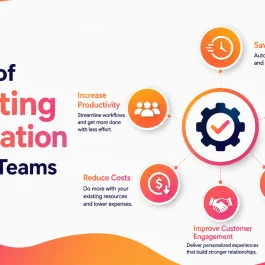
Removing these repeated works is one of the biggest marketing automation benefits for small teams. Besides, automation helps a business respond to leads faster, keep campaigns moving, improve reporting, and handle growth without increasing the team’s workload at the same rate.
Table of Contents
Small Tasks Create a Big Workload
In general, managing one major project is not overwhelming for the teams. Instead the pressure comes from dozens of small actions such as:
- Sending the same confirmation email
- Copying contact details between platforms
- Assigning a new lead
- Scheduling routine social posts
- Reminding sales to follow up
- Updating lead stages
- Preparing weekly reports
- Sending appointment or event reminders
A five-minute task repeated 100 times becomes more than eight hours of work.
For a small team, that can mean losing an entire working day to administration every week.
Marketing automation moves these predictable steps into workflows so employees can spend more time on strategy, campaigns, customer conversations, and decisions that require experience.
What Marketing Automation Actually Does
Marketing automation uses software to complete an action after a defined event occurs.
A prospect submits a form. The system creates a contact, sends a confirmation, assigns the lead, and alerts the correct employee.
A customer completes a purchase. The system sends onboarding information and schedules a later review request.
A lead visits a pricing page several times. The assigned sales representative receives an alert.
HubSpot describes workflow automation as a series of actions that run after selected triggers or conditions are met. These workflows can update CRM records, send messages, create tasks, and connect business processes without requiring someone to complete each step manually.
The team still decides what should happen. The software makes sure it happens consistently.
Get Time Back Without Lowering Quality
Automation should not be used simply to do more marketing.
Its first job should be removing work that does not need to be completed manually.
A small team may automate:
- New lead confirmations
- Contact creation
- Internal lead alerts
- Follow-up reminders
- Welcome email sequences
- Webinar or event reminders
- Customer review requests
- Campaign reports
- Social media scheduling
The time saved can then be used to improve campaign ideas, review performance, speak with customers, and create stronger content.
This is an important distinction. Marketing efficiency does not mean sending more messages with fewer employees. It means using the team’s time where it has the greatest effect.
Follow Up Before Leads Go Cold
Lead interest is usually strongest when the person first reaches out.
A prospect who requests a quote, downloads a guide, or books a consultation should receive an immediate response. That response does not need to close the sale. It only needs to confirm the next step and keep the conversation moving.
A simple workflow can:
- Send an immediate confirmation.
- Add the lead to the CRM.
- Assign the correct owner.
- Create a follow-up task.
- Send useful information related to the request.
- Alert sales if the lead shows stronger buying intent.
Varun Digital Media’s guide on building a lead nurture workflow explains how timing, lead behavior, segmentation, and follow-up stages can be organized into a more structured customer journey.
Automation protects the early opportunity. A person should still take over when the lead needs advice, pricing, or a real sales conversation.
Keep Marketing Consistent
Manual marketing depends heavily on memory.
One employee follows up within an hour. Another waits until the next day. A third adds the lead to a spreadsheet but forgets to notify sales.
These small differences create an uneven customer experience.
Automation can standardize the first steps without making every message sound identical.
It can ensure that:
- Every lead receives confirmation.
- Every inquiry has an owner.
- Every sales representative receives the same lead details.
- Every event registrant receives a reminder.
- Every completed service can trigger a review request.
- Every inactive lead can enter a re-engagement campaign.
The customer receives a more reliable experience, while the team has fewer tasks to remember.
Get More From the Leads You Already Have
Small teams often focus on generating new leads because older contacts appear inactive.
Many of those contacts may simply not be ready yet.
Lead nurturing allows the business to stay useful without pushing for an immediate sale. A sequence may share an educational article, answer a common question, present a customer example, and later invite the lead to book a call.
Mailchimp’s automation flows can use starting points, delays, conditions, and branches to change what happens based on customer activity or data.
The benefit for a small team is simple. Employees do not need to personally monitor every early-stage contact.
They can focus on leads showing stronger intent while automation continues to support the rest.
Varun Digital Media’s email marketing services include lead nurturing, drip campaigns, customer journeys, product campaigns, and retention-focused email communication.
Make Personalization Manageable
Personalization does not need to involve hundreds of audience segments.
A small business can begin with information that clearly changes what the customer needs, such as:
- Service interest
- Industry
- Location
- New or existing customer status
- Previous purchase
- Content downloaded
- Email activity
- Website behavior
A person interested in web design should not receive the same follow-up as someone asking about paid advertising. An existing customer should not remain in a sequence written for first-time prospects.
Automation can use these differences to select a more relevant message or next step.
The key is restraint. Too many segments create too many workflows to maintain. Small teams should personalize where it improves clarity, timing, or customer value.
See What Is Working
Reporting can consume nearly as much time as campaign execution.
Employees may need to collect information from email tools, ad platforms, social networks, analytics dashboards, and CRM records before they can understand performance.
Connected workflows can reduce this work by moving data into a shared reporting system.
A useful report may show:
- Where leads came from
- Which leads received follow-up
- Which campaigns created qualified opportunities
- Which emails supported conversions
- Where leads stopped progressing
- Which channels influenced revenue
- Which workflows saved employee time
Automation does not replace analysis. It removes part of the collection work so the team can spend more time understanding the results.
A report should lead to a decision. If a dashboard shows hundreds of numbers but does not help the team decide what to change, it is not improving marketing efficiency.
Grow Without Growing the Workload
Manual marketing becomes harder as the audience grows.
Twice as many leads can mean twice as many confirmations, assignments, reminders, updates, and follow-ups.
An automated workflow can handle a higher volume without producing the same increase in administration.
This helps small teams scale:
- Lead capture
- Email nurturing
- Event registration
- Customer onboarding
- Appointment reminders
- Review requests
- Re-engagement campaigns
- Internal notifications
- Recurring reports
Automation does not remove the need for oversight. Workflows still need testing, maintenance, and performance reviews.
It does prevent routine marketing work from growing as quickly as the business.
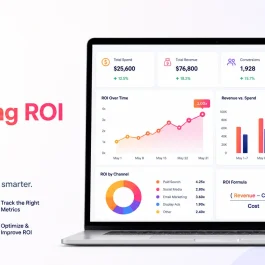
A Simple Marketing Automation ROI Example
Assume a small team spends 40 hours each month on contact entry, lead assignment, routine emails, follow-up reminders, and reporting.
At an average employment cost of $35 per hour, that repeated work costs about $1,400 per month.
After automation:
- Manual work falls by 25 hours.
- The team saves approximately $875 in time.
- Faster follow-up helps convert two additional customers.
- Each new customer is worth $1,000.
- The software and setup cost $700 per month.
The monthly benefit is:
- Time saved: $875
- Additional revenue: $2,000
- Total benefit: $2,875
- Automation cost: $700
Estimated ROI = ($2,875 − $700) ÷ $700 × 100 = 311%
This is only an example. An actual calculation should use the company’s labor costs, software fees, conversion value, implementation time, and maintenance requirements.
The calculation should also consider quality. Time saved has little value if leads receive irrelevant messages or workflows send incorrect information.
Start With the Work That Causes Delays
Small teams do not need to automate everything at once.
Start with one process that happens frequently and creates a clear problem.
Good first workflows include:
1. New Lead Follow-Up
Trigger the workflow when someone submits a form. Send confirmation, create the CRM record, assign an owner, and set a response deadline.
2. Lead Nurturing
Send useful content based on the lead’s interest and notify sales when engagement increases.
3. Appointment Reminders
Send email or SMS reminders before consultations, demos, events, or service appointments.
4. Customer Review Requests
Request a review after a purchase, completed project, or successful service interaction.
5. Weekly Reporting
Bring important campaign, lead, and conversion information into one recurring report.
Varun Digital Media’s guide to B2B marketing automation covers lead scoring, campaign measurement, personalization, and workflow use across longer sales journeys.
One reliable workflow is more valuable than ten complicated workflows that no one monitors.
Keep Important Conversations Human
Automation works best when the next action is predictable.
It should not take control of work that requires judgment, empathy, negotiation, or original thinking.
Keep people involved in:
- Sales consultations
- Customer complaints
- Strategy
- Creative direction
- Sensitive customer issues
- Partnership conversations
- Crisis communication
- Final content review
A confirmation email can be automated. A serious customer concern should not be trapped inside an automated sequence.
The purpose of automation is to create more time for meaningful human work.
Choose Tools Based on the Workflow
The best automation tools for small teams are not necessarily the tools with the most features.
The right choice depends on what the business needs to connect and automate.
A team may need:
- An email platform for nurture campaigns
- A CRM for contacts and lead stages
- A social scheduling platform
- A workflow connector for moving data between tools
- Reporting software for campaign results
- SMS tools for reminders and follow-up
HubSpot may suit teams that want CRM, email, sales, and workflow tools in one system. Mailchimp can support email campaigns and behavior-based customer journeys. Zapier can connect separate marketing, CRM, advertising, and productivity tools without requiring custom development.
Before selecting software, define:
- What starts the workflow?
- What should happen next?
- Which employee owns the result?
- Which tools need to exchange data?
- How will success be measured?
- Who will maintain the workflow?
Software should support a clear process, not become another system the team struggles to manage.
How Varun Digital Media Helps Small Teams
Varun Digital Media helps businesses identify repeated marketing tasks, connect customer journeys, build lead-nurturing workflows, and improve campaign reporting.
Its AI-driven marketing automation services focus on automated marketing operations, personalized customer journeys, campaign insights, lead nurturing, and improved marketing ROI.
Support can include:
- Mapping lead and customer journeys
- Building email automation
- Creating nurture sequences
- Connecting marketing and sales workflows
- Improving campaign personalization
- Setting up performance reporting
- Reviewing workflow gaps
- Reducing repeated manual work
The goal is not to automate every marketing activity. It is to build a practical system that a small team can use, understand, and maintain.
Simplify Your Marketing with Automation
Automate repetitive tasks, respond faster to leads, and scale your campaigns without increasing workload.
Frequently Asked Questions
1. What are the main marketing automation benefits?
Marketing automation can save time, improve lead follow-up, support nurturing, reduce repeated work, improve reporting, and help small teams manage more campaigns.
2. Which marketing task should a small team automate first?
Start with a task that happens often and regularly causes delays. New lead follow-up, contact entry, appointment reminders, and reporting are strong starting points.
3. Can marketing automation improve ROI?
Yes. It can lower manual labor costs and support revenue growth through faster responses, better nurturing, and fewer lost leads.
4. Does marketing automation replace employees?
No. It handles repeatable steps. Employees remain responsible for strategy, creativity, customer conversations, decisions, and quality control.
5. What are the best automation tools for small teams?
The best tools depend on the existing CRM, email platform, channels, workflow needs, contact volume, budget, and employee skills.
6. How can Varun Digital Media help with marketing automation?
Varun Digital Media can map customer journeys, create nurture workflows, connect marketing tools, automate email campaigns, and build reporting around business goals.
7. Does Varun Digital Media offer email automation?
Yes. Its email marketing services include automated customer journeys, drip campaigns, lead nurturing, customer retention, and conversion-focused email campaigns.
Published: July 24th, 2026