
Reading Time: 6 minutes
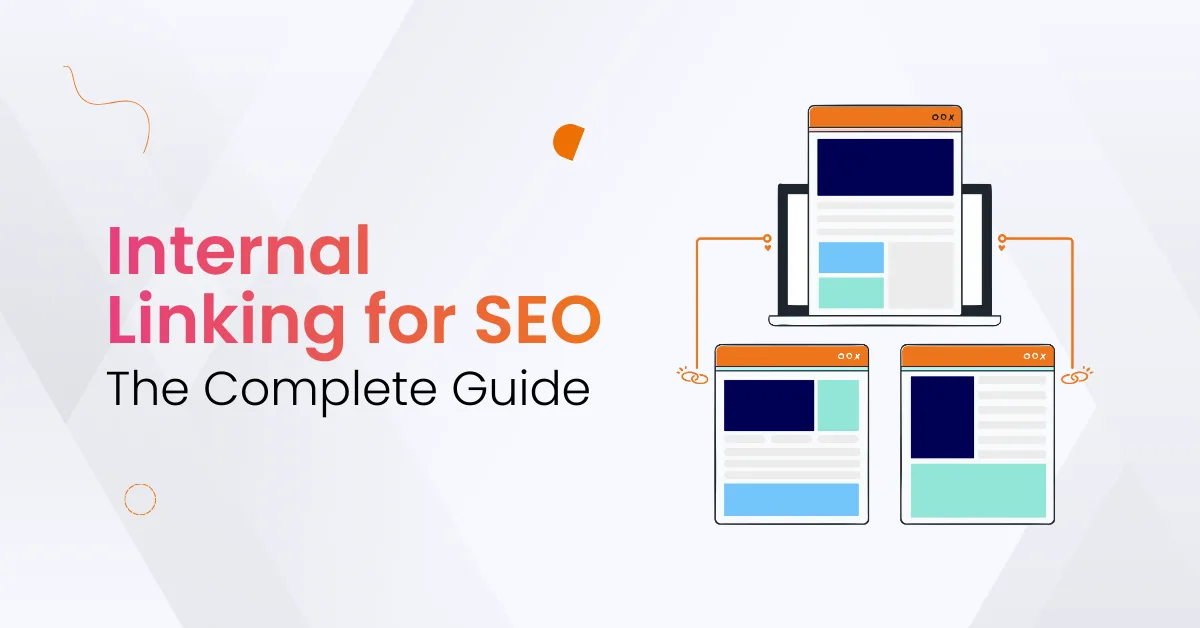
Internal linking for SEO helps users and search engines move across your website naturally. Internal links connect one page to another page within the same website. When links are clear, users find more information, and search engine crawlers understand your content better.
At Varun Digital, we help brands build strong internal linking strategies that improve rankings, fix broken internal links, and make user navigation easier. A good internal linking structure increases time on site, reduces bounce rate, and supports long-term SEO growth. Search engines reward websites with clear linking paths and relevant content.
This guide explains internal linking in simple language. You will learn how internal links work, why they matter, how many internal links to use, and how to create an internal linking strategy that helps your important pages rank higher.
Table of Contents
What Is Internal Linking?
Internal linking means adding internal links pointing from one web page to another page on the same website. Internal links connect blog posts, landing pages, product pages, and other internal pages. They help site navigation and guide users toward relevant content.
Internal linking for SEO helps search engines understand page authority, site structure, and topic relevance. When you add contextual internal links between related pages, link equity moves from strong pages to newer pages. This helps new content rank faster without waiting for external backlinks.
Internal and external links both help rankings, but internal links are easier because they stay within the same domain. You can add internal links when publishing new content or updating older blog posts. Internal linking helps users and search engines at the same time.
Why Internal Linking Helps SEO
Internal links play a big role in helping users and search engines explore website content smoothly. They support better indexing, stronger authority, and clearer site structure.
Benefits:
- Help users explore relevant internal pages without confusion or delay
- Help search engines understand page topics and relationships clearly
- Spread link equity between important pages and new internal content
- Improve rankings for product pages, service pages, and blog posts
- Reduce bounce rates by linking related helpful content inside articles
- Help search engine crawlers reach deeper internal pages easily
- Make user experience smoother with a clear internal linking structure
- Support stronger site architecture and easier navigation for readers
Internal links make your website easier to understand. When content is linked well, search engines crawl more internal pages and show them more often in search results.
Types of Internal Links
There are many types of internal links that websites can use. Each type supports navigation and rankings differently.
1. Navigational Internal Links
These links help users move through the website menu, categories, or sidebar.
Benefits:
- Help users find important internal pages quickly and easily
- Guide users toward product pages, landing pages, or service pages
- Improve site structure by linking key pages from every menu
- Reduce bounce rate by offering simple navigation paths to content
2. Contextual Internal Links
These links live inside the body of a page or article.
Benefits:
- Help readers explore more related content directly inside paragraphs
- Pass link equity between strong pages and new content naturally
- Support keyword relevance with clear, descriptive anchor text
- Help search engines understand topics and page relationships easily
3. Footer Internal Links
These links appear at the bottom of the website.
Benefits:
- Help users reach important policy, support, and legal pages quickly
- Improve the internal linking structure between low-traffic yet key pages
- Create consistent access paths to internal pages across the website
How Many Internal Links Should a Page Have?
There is no fixed rule for how many internal links a page should include. Add internal links when they help users or improve navigation. Avoid adding links that do not provide value or context.
Best practices:
- Too many internal links confuse users and search engine crawlers
- Too few internal links weaken internal page authority and rankings
- Internal links must point to relevant pages with helpful information
- Anchor text should clearly describe the purpose of the linked page
Internal linking for SEO works best when links feel natural and useful, not forced or repetitive.

Internal Linking Best Practices
To build a strong internal linking strategy, follow these best practices:
Best practices:
- Use descriptive anchor text that clearly explains page relevance
- Add contextual links from high authority pages into new content
- Update old blog posts by adding internal links to new articles
- Use Google Search Console to identify broken internal links easily
- Avoid using exact match anchor text on every internal link
- Fix broken internal links to improve crawl depth and user experience
- Avoid confusing search engines with too many links on one page
- Use internal links to distribute link equity between key pages
Internal Link Audits
Internal link audits help you understand your internal linking structure and find issues like:
Issues:
- Orphan pages with no internal links pointing toward them
- Broken internal links that stop users and crawlers from navigating
- Pages are missing contextual internal links from related content
- Too many internal links on one page are causing confusion
- Internal links pointing to irrelevant or off-topic internal pages
Use a site audit tool or Google Search Console to:
- Identify broken internal links and fix them quickly
- Add internal links to relevant existing pages that need support
- Improve link equity between related site pages and categories
- Fix navigation issues using a better linking strategy
Strategic Internal Linking Tips
Here are simple ways to build a solid internal linking strategy:
Tips:
- Link from high authority pages to new internal content pages
- Add contextual links inside paragraphs, not only navigation menus
- Use relevant internal links on every important blog post or page
- Add more internal links to important product and service pages
- Build topic clusters linking related pages inside the same category
- Use consistent anchor text that guides users and search engines clearly
- Review your internal linking structure every few months for accuracy
How Internal Linking Improves User Experience
Internal linking helps users find helpful content faster and reduces confusion. It allows users to explore relevant internal pages without searching externally. Search engine bots also crawl pages more easily, improving crawl depth and indexing.
User benefits:
- Higher engagement with more time spent on internal pages
- Better navigation through relevant content with fewer clicks needed
- Stronger search visibility for key internal pages inside results
- Faster discovery of valuable blog posts and product information
How Varun Digital Helps With Internal Linking
Varun Digital helps brands improve internal linking for SEO with audits, navigation improvements, and a strong internal linking structure. We help websites fix broken internal links, add contextual links, and increase link equity for important landing pages.
Capabilities:
- Identify broken internal links that impact crawl depth and experience
- Fix broken internal links with faster page updates and diagnostics
- Improve user experience using better internal linking navigation paths
- Add relevant internal links between related content or topic clusters
- Strengthen rankings by distributing link equity between strong pages
- Support site architecture with a clear internal linking structure and planning
Conclusion
Internal linking for SEO is one of the easiest ways to improve rankings, crawl depth, and user navigation. Internal links connect related pages, increase topic clarity, and help users find valuable content faster.
A strong internal linking strategy improves crawl depth, fixes broken links, distributes link equity, and improves topic authority without waiting for external backlinks. Search engines reward clear site structure and relevant internal pages.
At Varun Digital, we help brands build strong internal linking structures, improve rankings, and distribute authority across key pages. If you want stronger crawl depth, better rankings, and easier navigation, internal linking is the next step—and Varun Digital can guide you every step of the way.
Build a Better Internal Linking Strategy
Varun Digital helps brands improve internal linking for SEO using audits, linking systems, and simple navigation paths. We help users explore more internal content and increase rankings across key pages.
FAQs
1. Why is internal linking important for SEO?
Internal linking helps users and search engines explore the website easily. It improves crawl depth, link equity, and page authority. Strong internal links help search engine crawlers understand important pages, improve rankings, and create better navigation for readers and search engines.
2. How many internal links should a page have?
There is no fixed number. Add internal links when they help users find relevant content. Too many internal links cause confusion, and too few weaken authority. Keep internal links natural, simple, and helpful for users and search engine crawlers.
3. What anchor text should I use for internal links?
Use short, descriptive anchor text that explains the linked page. Avoid stuffing the same keyword into every link. Clear anchor text helps search engines understand context and improves internal linking for SEO and a better user experience.
4. How do I audit internal links?
Use Google Search Console or a site audit tool to find broken internal links, orphan pages, and missing contextual links. Fix broken links, add relevant internal links, and improve navigation. This strengthens the internal linking structure and increases crawl depth and rankings.
5. Do internal links improve rankings?
Yes. Internal links help distribute link equity, improve crawl depth, and strengthen page authority. When important internal pages receive more relevant internal links, they rank faster and are easier for search engines to understand. This improves visibility and user navigation.
Published: December 9th, 2025