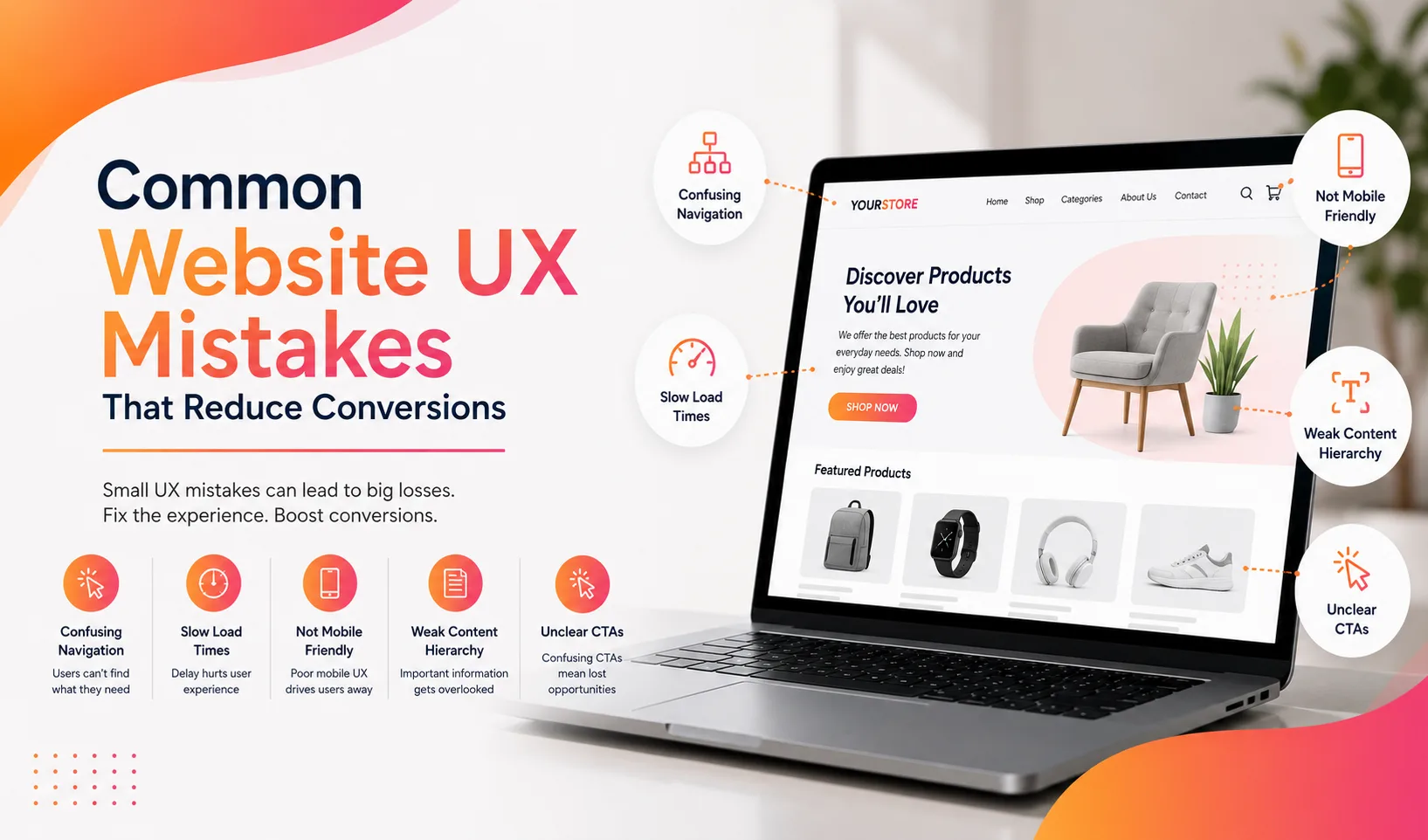
A website redesign should do more than give an outdated site a modern appearance. It should remove friction, clarify the brand’s value, improve search visibility, and make it easier for visitors to take action.
This website redesign checklist helps businesses evaluate UX, mobile responsiveness, page speed, trust signals, SEO protection, content structure, and conversion paths before launching a redesigned website.
A successful redesign begins with evidence, not personal design preferences. Businesses should review how visitors currently use the website, where prospects leave, which pages attract organic traffic, and which actions generate leads or sales. A strategic website redesign can then improve design and performance without sacrificing existing search visibility or valuable content.
Table of Contents
What Should a Website Redesign Accomplish?
A website redesign should solve identifiable business and user problems. Changing fonts, colors, images, and layouts without improving the customer journey may produce a better-looking website without increasing conversions.
Before approving a design direction, the business should define measurable objectives.
| Redesign Goal | Metric to Review |
| Generate more leads | Form submissions and qualified inquiries |
| Increase online sales | Conversion rate and checkout completion |
| Improve mobile performance | Mobile engagement and conversion rate |
| Strengthen navigation | Page paths, exits, and task completion |
| Improve website speed | Core Web Vitals and loading time |
| Protect SEO visibility | Rankings, clicks, impressions, and indexed pages |
| Build credibility | Engagement with testimonials, credentials, and case studies |
| Reduce form abandonment | Form starts and completed submissions |
These benchmarks help the team evaluate whether the redesign worked after launch.
Website Redesign Checklist Before Design Work Begins
1. Establish a Performance Baseline
Record the website’s current performance before changing its structure or design.
The baseline should include:
- Organic traffic and keyword rankings.
- Leads, calls, purchases, and booked appointments.
- Conversion rates by device and landing page.
- Most visited pages.
- Pages with valuable backlinks.
- Top entry and exit pages.
- Form completion and abandonment rates.
- Mobile and desktop performance.
- Core Web Vitals.
- Broken links and crawl errors.
Analytics, Search Console, call tracking, CRM data, heatmaps, and session recordings can reveal where users encounter difficulty.
This step prevents the redesign team from removing valuable pages or changing elements that already support conversions.
2. Audit Existing Content and URLs
Create a complete inventory of current pages before modifying the navigation or site architecture.
Each URL should be classified as:
- Keep without major changes.
- Improve or expand.
- Merge with a related page.
- Redirect to a replacement page.
- Remove because it has no user or SEO value.
The Semrush website migration checklist recommends establishing baseline analytics, auditing the current site, mapping URLs, testing the new site, enabling redirects, and monitoring rankings and indexing after launch.
Pages should not be removed merely because they look outdated. A visually weak page may still generate traffic, earn backlinks, or support an important customer journey.
3. Clarify the Website’s Conversion Goals
Each important page should have one primary action and, where appropriate, one lower-commitment secondary action.
Possible conversion goals include:
- Requesting a consultation.
- Calling the business.
- Scheduling an appointment.
- Purchasing a product.
- Starting a free trial.
- Downloading a resource.
- Subscribing to updates.
- Requesting pricing.
- Visiting a physical location.
This focus is central to redesigning for conversions. Pages with too many competing calls to action can make the next step unclear.
Which UX Improvements Should the Redesign Include?
1. Simplify Navigation and Information Architecture
Good UX helps visitors understand where they are, what the business offers, and what they should do next.
Effective UX improvements include:
- Clear labels based on customer language.
- Logical service and product categories.
- Consistent navigation across pages.
- Visible contact and conversion options.
- Breadcrumbs on deeper pages.
- Internal search for content-heavy websites.
- Fewer unnecessary menu levels.
- Relevant internal links between related pages.
The most important services should not remain hidden under vague menu labels such as “Solutions” when clearer terms are available.
2. Make Mobile Responsiveness a Core Requirement
A responsive website should preserve content, functionality, readability, and conversion paths across phones, tablets, laptops, and desktops.
Google recommends responsive web design because it serves the same HTML and URL across devices and is generally easier to implement and maintain.
A mobile redesign should check:
- Text size and line spacing.
- Button and link spacing.
- Mobile navigation.
- Form field usability.
- Sticky headers and call buttons.
- Image scaling.
- Tap targets.
- Pop-ups and overlays.
- Checkout or booking workflows.
- Content parity between mobile and desktop.
Varun Digital Media’s guide to responsive web design services explains how mobile-first layouts support usability across different screen sizes.
Mobile responsiveness should not mean shrinking a desktop layout. It should prioritize the information and actions mobile visitors need most.
3. Include Accessibility in the Website Redesign
Accessibility should be addressed during design and development instead of being treated as a post-launch correction. It can improve navigation, readability, forms, controls, and content access for a wider range of users.
The redesign checklist should include:
- Sufficient contrast between text and backgrounds.
- Keyboard access to navigation and interactive elements.
- Visible focus indicators.
- Clear form labels and useful error messages.
- Alternative text for meaningful images.
- Descriptive link and button labels.
- Logical heading structure.
- Captions and transcripts for relevant video content.
- Support for browser zoom and text resizing.
- Automated testing supported by manual accessibility reviews.
Accessibility testing should cover keyboard navigation, forms, page structure, screen-reader compatibility, and content clarity before launch.
4. Reduce Friction in Forms and Conversion Paths
Forms should request only the information needed for the next business step.
Review:
- Number of fields.
- Required versus optional information.
- Field labels and instructions.
- Error messages.
- Mobile keyboard behavior.
- Confirmation messages.
- Privacy explanations.
- Follow-up expectations.
A visitor requesting a first consultation may not need to complete a long qualification form. Additional information can be collected after initial contact.
Varun Digital Media’s conversion rate optimization services use visitor behavior and conversion data to identify friction and improve page performance.
5. Strengthen Trust Signals
Visitors need evidence that the business can deliver what it promises.
Relevant trust signals may include:
- Customer testimonials.
- Detailed case studies.
- Certifications and professional memberships.
- Awards and industry recognition.
- Client logos used with permission.
- Verified ratings and reviews.
- Secure payment indicators.
- Clear contact information.
- Team profiles and real photographs.
- Guarantees, policies, and service commitments.
- Project outcomes supported by verifiable data.
Trust elements should appear near decision points instead of being isolated on one testimonial page.
A service page may place a relevant testimonial beside its inquiry form, while an ecommerce checkout may show payment security and return information near the purchase action.
How Should Page Speed and Technical SEO Be Protected?
1. Improve Page Speed Without Sacrificing Usability
Large images, excessive scripts, animation, third-party widgets, poorly configured plugins, and inefficient code can slow a redesigned website.
Google’s current Core Web Vitals guidance recommends:
- Largest Contentful Paint within 2.5 seconds.
- Interaction to Next Paint at 200 milliseconds or less.
- Cumulative Layout Shift at 0.1 or less.
These thresholds should be assessed at the 75th percentile of page visits across mobile and desktop devices.
A 2026 web.dev case study on Nuvemshop shows how website performance can influence business results. After Nuvemshop improved image prioritization, the share of stores passing Core Web Vitals increased from 48% to 72%. During the same period, conversion rates among mobile visitors from Google organic search increased by 8.9% across the analyzed cohort.
These results are specific to the platform and do not guarantee the same outcome for every website. However, they demonstrate why page speed should be evaluated as both a UX and conversion factor.
Page speed improvements may include:
- Compressing and resizing images.
- Using modern image formats.
- Reducing unused JavaScript and CSS.
- Limiting third-party scripts.
- Lazy-loading noncritical media.
- Improving server response.
- Using caching and a content delivery network.
- Reserving image and video dimensions.
- Removing unnecessary plugins.
The website speed optimization guide provides additional guidance on Core Web Vitals, image optimization, caching, and performance audits.
2. Protect URLs, Rankings, and Backlinks
An SEO friendly redesign should preserve valuable URLs whenever possible. When a URL must change, the old address should redirect to the most relevant replacement page.
Google recommends preparing a URL map, configuring redirects from old URLs to new ones, testing the new site, and monitoring traffic after a site move. It also recommends changing one major element at a time where practical.
The technical checklist should include:
- One-to-one 301 redirects.
- Updated internal links.
- Correct canonical tags.
- Updated XML sitemaps.
- Accurate robots.txt rules.
- Preserved title tags and metadata where valuable.
- Working structured data.
- No accidental noindex tags.
- Custom 404 pages.
- Updated image paths and alt text.
- Search Console and analytics verification.
Redirecting every deleted page to the homepage is not a sound migration strategy. Each redirect should lead to a closely related destination.
How Can a Redesign Support SEO and AI Search?
Build Clear, Search-Friendly Content Architecture
A modern website should explain services, products, industries, locations, expertise, and customer outcomes clearly.
The site should include:
- Descriptive page titles and headings.
- Dedicated pages for major services.
- Clear answers to customer questions.
- Logical internal linking.
- Relevant examples and supporting evidence.
- Visible authorship or expert review where appropriate.
- Structured content using paragraphs, lists, and tables.
- Schema markup that matches visible page content.
Google states that the same SEO fundamentals used for standard search also apply to AI search features. Important practices include allowing crawling, using internal links, providing a strong page experience, keeping key information in text, and ensuring structured data matches visible content.
The AEO reference supplied by Perfexion also emphasizes clearly defining services and industries, communicating credibility, and using structured layouts that support summarization.
A conversion focused web design should therefore serve both human visitors and search systems. Content should be easy to understand, scan, verify, and act upon.
Varun Digital Media’s SEO services can support keyword targeting, on-page optimization, technical SEO, and organic visibility during a redesign.
What Should Be Tested Before and After Launch?
1. Complete Pre-Launch Quality Assurance
Before launch, test the staging website across major browsers, devices, and screen sizes.
The test should cover:
- Navigation and internal links.
- Forms and confirmation messages.
- Calls, emails, and booking links.
- Checkout and payment functions.
- User accounts and logins.
- Search functionality.
- Redirects and canonical tags.
- Analytics and event tracking.
- Cookie and consent tools.
- Structured data.
- Page speed.
- Accessibility basics.
- Mobile layouts.
- Error pages.
- Security certificates.
- CRM and marketing integrations.
The staging website should remain blocked from public indexing until it is ready, but those restrictions must be removed correctly at launch.
2. Monitor Performance After Launch
A website redesign does not end when the new pages go live.
During the first days and weeks, monitor:
- Organic traffic and keyword visibility.
- Indexing and crawl errors.
- Redirect failures.
- 404 pages.
- Conversion tracking.
- Form submissions.
- Calls and purchases.
- Core Web Vitals.
- Mobile usability.
- User feedback.
- Server errors and uptime.
Compare these results with the baseline collected before the redesign. Sudden changes should be investigated promptly.
Ongoing website maintenance and support can help protect security, speed, functionality, backups, and performance after launch.
Turn Your Website Into a Conversion Engine
Improve UX, speed, SEO, and conversions with a data-driven website redesign.
Frequently Asked Questions
1. How often should a business redesign its website?
There is no fixed redesign schedule. A business should consider a redesign when the current site no longer supports its brand, users, search visibility, technology, content, or conversion goals.
2. Can a website redesign hurt SEO?
Yes. Rankings and traffic can decline when teams remove valuable content, change URLs without redirects, block crawling, alter internal links, or fail to monitor the migration. An SEO plan should begin before design work.
3. What is the difference between a website refresh and a redesign?
A refresh usually updates selected visual elements or content. A redesign may change the site structure, templates, technology, user journeys, content, and conversion strategy.
4. What makes a website redesign conversion focused?
A conversion-focused redesign uses customer research, analytics, clear messaging, simplified navigation, strong trust signals, focused calls to action, usable forms, and continuous performance measurement.
5. How does Varun Digital Media approach website redesign projects?
Varun Digital Media combines UX/UI design, mobile responsiveness, page speed, SEO structure, analytics, security, and conversion-focused website redesign services around the business’s goals and customer journey.
6. Can Varun Digital Media protect SEO during a website redesign?
Yes. Varun Digital Media incorporates URL planning, redirects, content preservation, technical SEO, analytics, mobile testing, and post-launch monitoring to reduce avoidable search visibility risks during a redesign.
Published: July 20th, 2026
Tags:
- conversion focused web design
- conversion rate optimization
- Core Web Vitals
- improve website conversions
- mobile responsive design
- reduce form abandonment
- Responsive Web Design
- SEO website migration
- technical SEO checklist
- UX improvements website
- website navigation UX
- website redesign checklist
- website redesign SEO
- website redesign strategy
- website speed optimization